The viral Tesla Roadster flip, starring your car
Roadster AI Video Generator
Upload one photo of your car and get a Roadster AI video: it climbs the night ramp, flips in the dark, fires its thrusters and lands in a cloud of smoke, shot for shot like the viral Tesla Roadster clip and with its soundtrack. Every Roadster AI video keeps your own car and downloads as an MP4 for TikTok, Reels or Shorts.
Roadster AI Video Examples
Each Roadster AI video below was made in this studio from the everyday photo in its corner, with the Roadster Ramp template and no editing afterwards. Turn the sound on: the soundtrack comes with the clip.
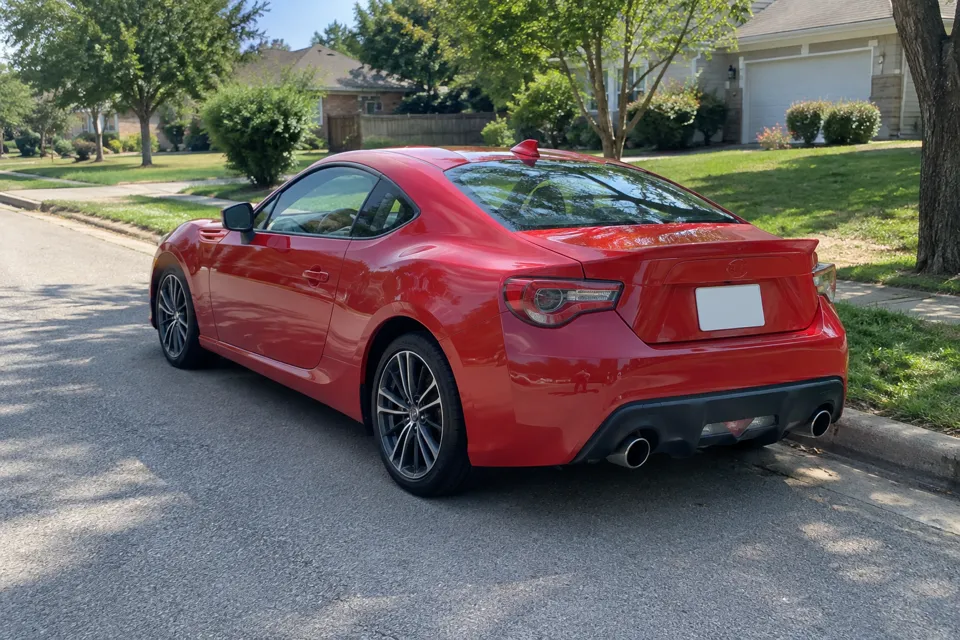
Roadster AI video of a red coupe
The red coupe photo went into the Roadster Ramp template: the same night ramp, overhead shots, flip, thrusters, smoke and soundtrack as the viral clip.
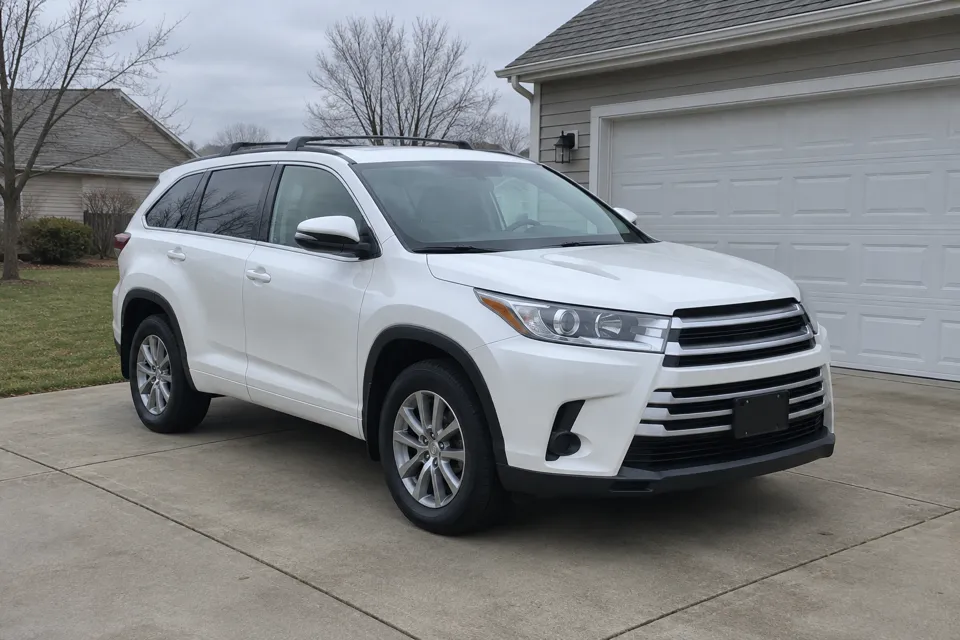
Roadster AI video of a white SUV
Same Roadster AI video template, a family SUV this time. Seedance 2.0 Mini swapped the car in about two and a half minutes at 480p and kept the soundtrack.
What Is a Roadster AI Video?
A Roadster AI video is a short, AI-generated clip in which your own car performs the stunt from Tesla's Roadster demo: a climb up a huge curved ramp at night, a full flip in the air, a burst of thrusters and a landing in white smoke.
The trend started in mid-October 2026, when footage of the new Tesla Roadster jumping, flipping and hovering on cold-gas thrusters spread across X, TikTok and YouTube. So many people asked whether the clip was AI that a Tesla Roadster AI video of their own car became the obvious reply. This Roadster AI video generator does exactly that: you supply the car, the template supplies the ramp, the shots and the soundtrack.
Each Roadster AI video is fiction. Nothing here comes from Tesla, so post your clip as AI-generated content.
How to Make a Roadster AI Video
Making a Roadster AI video takes three steps and usually two to six minutes of rendering.
1. Upload a photo of your car
Any clear photo works: side, front three-quarter or rear. Your own car, a rental, your dream car or even a toy model.
2. Pick the stunt, quality, length and frame
Choose Roadster Ramp for the viral clip with its soundtrack, or Desert Flip, Traffic Takeoff or 0–60 Launch, then the quality. The other stunts also let you pick 5, 10 or 15 seconds and a 9:16 or 16:9 frame. The price in credits shows before you start.
3. Generate and download
Your Roadster AI video renders in the background. Keep the tab open or come back later: every finished clip is saved in My videos as an MP4 with sound.
Roadster AI Video Stunts
Every Roadster AI video starts from one of four stunts, each tested on real car photos before it went live. Each Roadster AI video below was made in this studio from the photos in the tips section.
Roadster Ramp swaps your car into a fixed template clip, so the shots, the timing and the soundtrack match the Tesla Roadster AI video everyone is sharing. The other three are fresh takes on the trend: a daylight Desert Flip, the late-for-work Traffic Takeoff and the one-second 0–60 Launch.
Roadster Ramp
The Roadster AI video everyone is copying: a night ramp lined with red lights, overhead shots of the climb, a flip in the dark, thrusters and a smoky landing, with the soundtrack.
Desert Flip
A daylight take: your car speeds across a desert arena, climbs a curved quarter-pipe, flips once and lands in a cloud of dust.
Traffic Takeoff
Stuck in a jam, the car fires cold-gas jets, rises above the roof of a bus and flies off over the traffic.
0–60 Launch
Thrusters fire under the bumper and the car disappears down a floodlit strip in a wall of tyre smoke.
Make My Car Fly With One Photo
You do not need a prompt, an editor or a CapCut template to make your car fly. Whether you call it a flying car AI video, a car flip clip or a Tesla Roadster AI video of your own car, the Roadster AI video generator handles the scene for you.
Your car stays your car
The model reads the body shape, paint and wheels from your photo and keeps them through the flip, so friends recognise your car, not a stock model.
Sound included
Roadster Ramp keeps the soundtrack of the template clip. The other stunts come with engine roar, tire screech and thruster sounds generated with the picture.
Made for short video
Pick 9:16 for TikTok, Reels and Shorts or 16:9 for YouTube and X. Clips run 5, 10 or 15 seconds.
Private by default
Your photo and your Roadster AI video are only visible in your account. Nothing is published to a public gallery.
Credits back on failure
If a Roadster AI video fails to render, the credits return to your balance automatically.
No prompt to write
The stunt, camera and sound are already set up. You only bring the car photo.
Photo Tips for a Better Roadster AI Video
The photo decides how much your Roadster AI video looks like your car. These three everyday photos all work well.
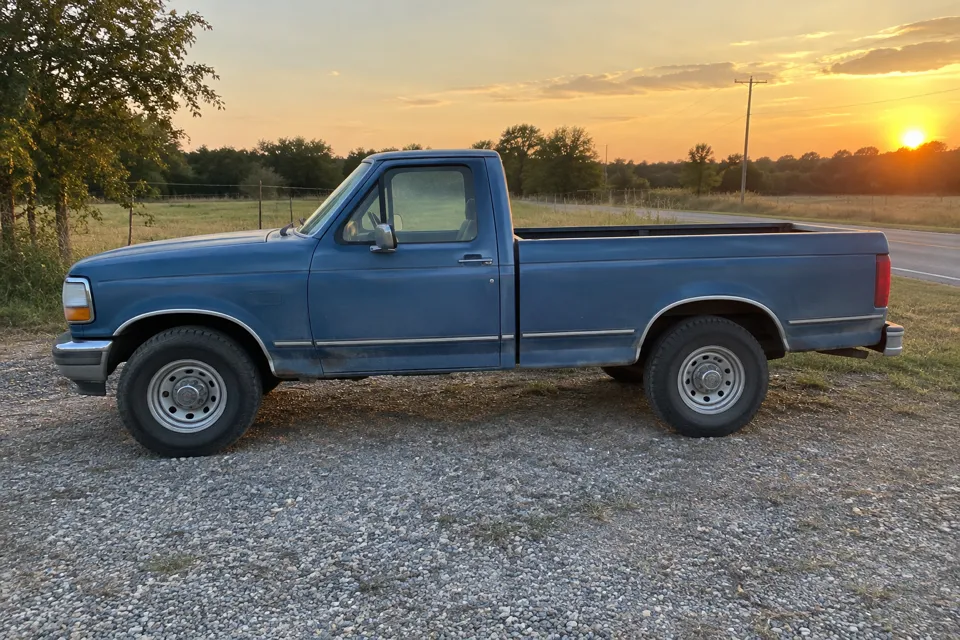
Show the whole car
Keep all four corners of the car inside the frame. Cropped bumpers and mirrors come back guessed, not copied.
Use daylight
Even daylight shows the true paint color. Night shots and heavy reflections make the car look different in the video.
One car per photo
A single car in the picture tells the model exactly which car to put on the ramp.
Use photos you own
Upload only photos you took or have permission to use, and leave out other people and readable number plates.
Roadster AI Video Pricing
Buy credits once and spend them on the clips you make. There is no subscription and no free trial: every Roadster AI video is paid for with credits, and credits never expire. A Roadster Ramp video at 480p costs 40 credits, so the $4.99 Single pack covers one clip and the Twelve pack brings each video down to $3.33.
Single
$4.99
40 credits · one-time payment
1 Roadster Ramp video at 480p
$4.99 per video
- Credits never expire
- Or mix in the other stunts
- MP4 with sound, no watermark
- Credits back if a generation fails
Three videos
$12.99
120 credits · one-time payment
3 Roadster Ramp videos at 480p
$4.33 per video
- Credits never expire
- Or mix in the other stunts
- MP4 with sound, no watermark
- Credits back if a generation fails
Five videos
$19.99
200 credits · one-time payment
5 Roadster Ramp videos at 480p
$4.00 per video
- Credits never expire
- Or mix in the other stunts
- MP4 with sound, no watermark
- Credits back if a generation fails
Twelve videos
$39.99
480 credits · one-time payment
12 Roadster Ramp videos at 480p
$3.33 per video
- Credits never expire
- Or mix in the other stunts
- MP4 with sound, no watermark
- Credits back if a generation fails
| Quality | 5 s | 10 s | 15 s |
|---|---|---|---|
| Roadster Ramp Standard (480p · fastest, 12 s clip) | 40 | ||
| Roadster Ramp HD (720p · sharper, 12 s clip) | 75 | ||
| Other stunts Standard (768P · best value) | 20 | 40 | 60 |
| Other stunts HD (2K · sharpest) | 30 | 60 | 85 |
| Other stunts Cinematic (720p · most lifelike) | 60 | 120 | 180 |
Is the Tesla Roadster Video Real or AI?
The clip that started the trend shows a Tesla Roadster launching off a ramp, kickflipping over a Tesla Semi and landing, helped by cold-gas thrusters. It looked so much like CGI that a lot of viewers assumed it was AI.
Reporting since the demo, including SlashGear's breakdown of the flip, says the stunt was most likely filmed for real, probably with a lightened mock-up built for the jump rather than a production car. The original is a real stunt; a Roadster AI video is the AI version you can make with your own car.
If you post a Roadster AI video, say it is AI. That keeps the joke fun and avoids confusing people who are still working out what was real.
Roadster AI Video FAQ
What is a Roadster AI video?
It is a short AI-generated clip in which the car from your photo performs the Tesla Roadster ramp stunt: the night ramp, the climb, the flip, the thrusters and the smoky landing, with the soundtrack.
How much does a Roadster AI video cost?
The Roadster Ramp template costs 40 credits at 480p and 75 at 720p. The other stunts cost 20, 40 or 60 credits for 5, 10 or 15 seconds at Standard 768P, 30, 60 or 85 at HD 2K, and 60, 120 or 180 at Cinematic. Packs start at $4.99 for 40 credits.
Is there a free Roadster AI video generator or free trial?
No. There are no free credits and no trial, so you buy a one-time pack before your first video. That pays for the video models and keeps the queue short.
What photo should I upload?
For the best Roadster AI video, use one clear daylight photo with the whole car in frame, as a JPG, PNG or WebP file up to 10 MB. Side, front three-quarter and rear views all work.
How long does a Roadster AI video take?
Roadster Ramp usually takes two to six minutes. The other stunts take three to seven minutes at Standard or HD and five to eight at Cinematic. You can close the page: the video keeps rendering and appears in My videos.
Which AI models make the video?
Roadster Ramp uses ByteDance Seedance 2.0 Mini to swap your car into the template clip. The other stunts use MiniMax H3 at Standard and HD, and Seedance 2.0 at Cinematic.
What if a generation fails?
When a generation fails, its credits go back to your balance automatically. A finished video you do not like is not a failure, so its credits are not returned.
Can I post my Roadster AI video on TikTok or Instagram?
Yes. The MP4 has no watermark. Label it as AI-generated and only use photos you have the right to use.
Is Roadster AI Video affiliated with Tesla?
No. Roadster AI Video is an independent site and is not affiliated with, sponsored or endorsed by Tesla, Inc. Every video made here is an AI-generated, fictional scene.